forge3d Launch
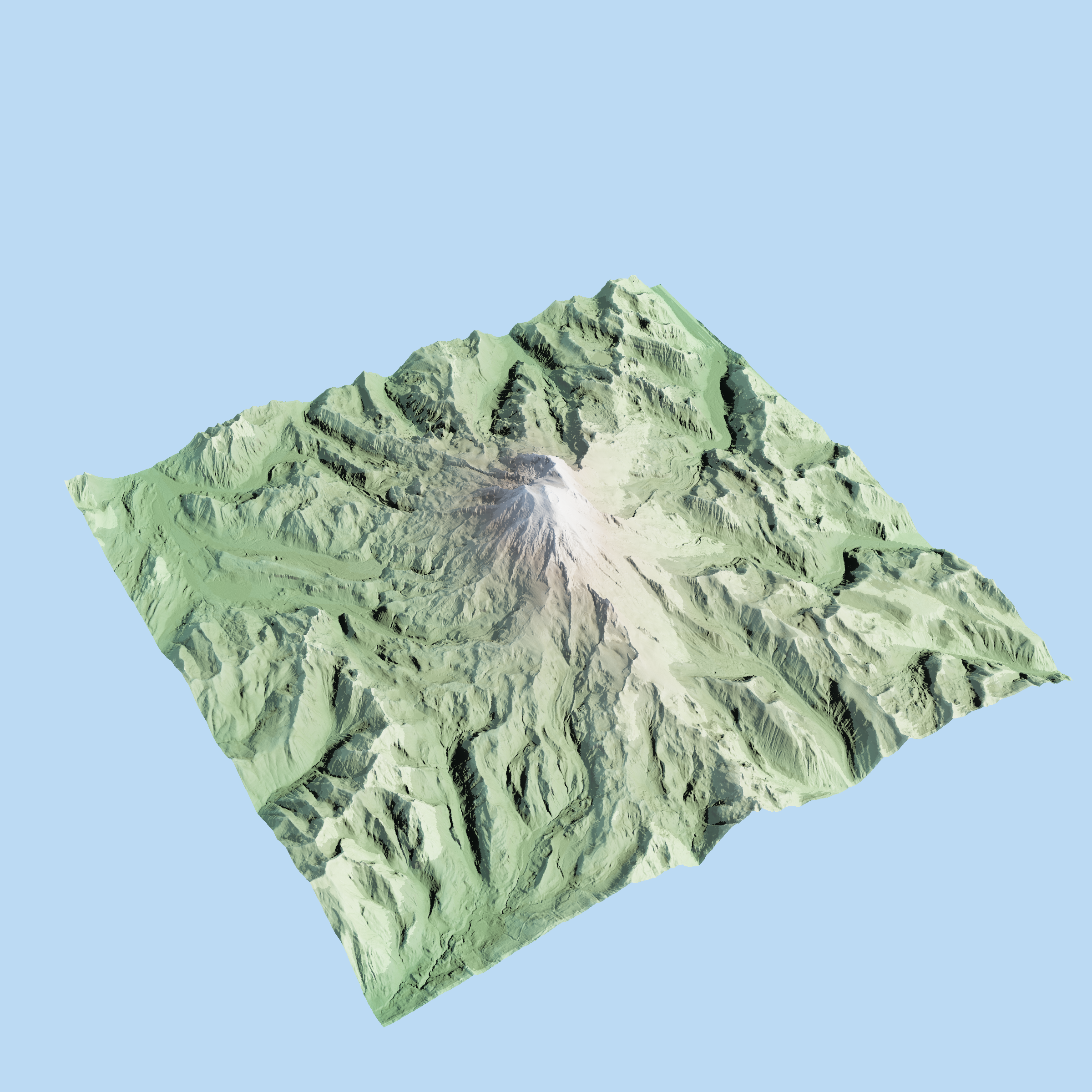
This image was generated with a few lines of Python:
import forge3d

with forge3d.open_viewer_async(terrain_path=forge3d.fetch_dem("rainier")) as viewer:
    viewer.set_orbit_camera(phi_deg=225.0, theta_deg=35.0, radius=1.2, fov_deg=45.0)
    viewer.set_sun(azimuth_deg=315.0, elevation_deg=30.0)
    viewer.snapshot("rainier.png", width=2400, height=1600)
What Is forge3d?
forge3d is a Python package for terrain and scene rendering built on a Rust viewer runtime. The goal is simple: install a wheel, point it at terrain or scene data, and get a compelling render quickly enough that the first run feels lightweight instead of infrastructural.
How It Works
The package has one rendering path: Python launches the Rust
interactive_viewer binary and sends explicit scene commands over IPC. That
runtime powers notebooks, scripted snapshots, terrain overlays, point clouds,
and headless rendering. The architecture overview lives in
the architecture guide.
Getting Started
Install with:
pip install forge3d
Start with the quickstart, then pick the GIS tutorials or the Python tutorials.
Open Source + Pro
The open core keeps the learning and exploration loop open: viewer launch, datasets, snapshots, overlays, widgets, point clouds, and 3D Tiles. Pro starts where deliverables and packaging start: map plates, SVG/PDF export, scene bundles, building import pipelines, and Mapbox Style Spec workflows. License checks stay offline and local; there is no phone-home step.
What’s Next
The immediate roadmap is better production tooling around the same viewer core: repeatable render pipelines, richer publishing workflows, and vertical examples that package the terrain runtime for specific domains.
Call To Action
Install
forge3dfrom PyPI.Run a tutorial and get to the first snapshot.
Star the GitHub repo and open issues for sharp edges.
If your workflow needs map plates, vector export, or bundles, request a Pro key.