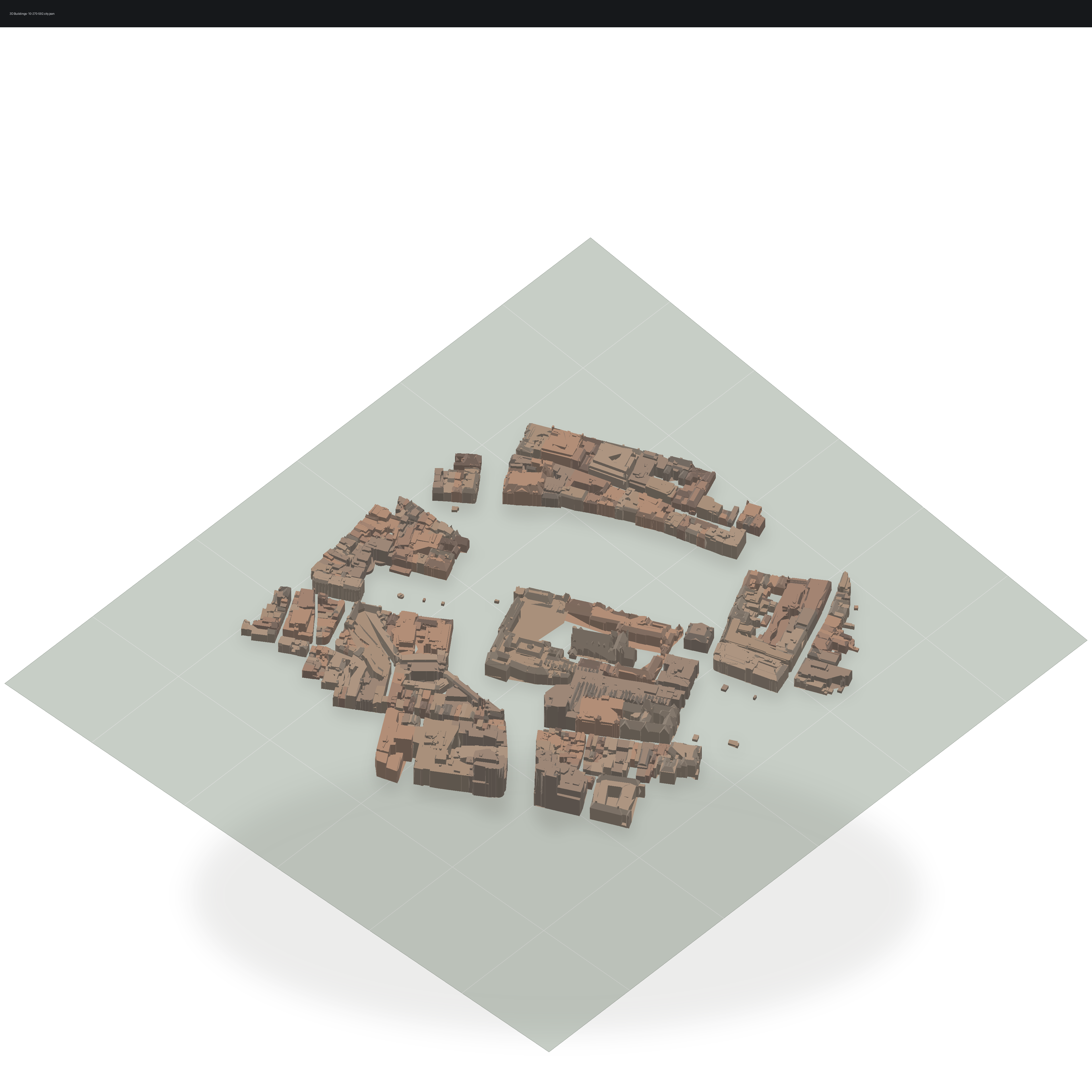
3D Buildings
Pro Feature: This tutorial uses features that require a commercial license. See https://github.com/milos-agathon/forge3d#license. You can read and learn from the code, but the highlighted functions will raise
LicenseErrorwithout a valid key.
The buildings module sits between GIS assets and downstream renderers. It
parses common building sources, exposes materials and metadata, and hands you
triangle meshes that can be rendered through a real mesh path. The gallery
image below comes from the same 10-270-592.city.json tile used here.
Load the gallery CityJSON tile
import forge3d as f3d

layer = f3d.add_buildings_cityjson("assets/geojson/10-270-592.city.json")

print(layer.building_count)
print(layer.total_vertices)
print(layer.bounds())
Inspect material defaults
brick = f3d.material_from_name("brick")
glass = f3d.material_from_name("glass")
print(brick)
print(glass)
Inspect extracted triangle meshes
The gallery preview does not send buildings through add_vector_overlay.
That IPC path is for draped overlays, not volumetric CityJSON building meshes.
Instead, inspect the extracted triangles directly:
import forge3d as f3d

layer = f3d.add_buildings_cityjson("assets/geojson/10-270-592.city.json")
for building in layer.buildings[:5]:
    vertices = building.positions.reshape(-1, 3)
    triangles = building.indices.reshape(-1, 3)
    print(building.id, vertices.shape[0], triangles.shape[0], building.height)
scripts/regenerate_gallery.py uses this same extraction step, then renders the
triangles through a dedicated preview path in render_cityjson_building_preview.
Use that as the canonical reference for the published docs image.
Expected output